Oct 21, 2023
DevFest @USF
Come join our 2 hour workshop in the Experts Track featuring Coffee-Me - a mobile app with AI to manage your coffee inventory. You'll learn how to work with React-Native, build a custom model, and conduct inference in the cloud. Space is limited - so sign up today!

Workshop Agenda
Students will take home a working mobile app (on device!) plus an understanding of how to build a custom model.
-
01. React-Native
Download the code and run it on your laptop + phone. Make a few edits.
-
02. Setup Firebase
Learn how to get your API key, Setup a Collection, and turn on Authentication
-
03. Upload Data
Populate your database with data from a Google Sheet & use it instantly
-
04. Use the Camera
Leverage the camera to build your inventory. Simulate consuming coffee and watch the count decrease.
-
06. Custom Models
See tools and tricks for gathering and labeling images more efficiently.
-
07. Final Polish
Get Liz's suggestions for further polish and put this project in your portfolio!
What You'll Learn
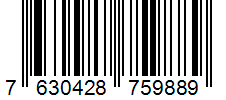
Using React-Native, Firebase, and Roboflow, you'll see how easy it is to scan a barcode or snap a photo and get AI to manage your inventory.

React-Native
Start with a working app and learn how to customize it- right on your own devices!

Firebase
Learn how to setup Firestore, then read and write documents in the collection.

Ai
Learn how to build a custom model. Get Liz's top tips for image collection and labeling.

Expo
Provides managed workflow and a bridge to native APIs

Google Sheets
Use Google Sheets to populate your Firestore database.

RoboFlow
Train custom models & perform inference in the cloud. Sweet!
What Do I Need?
Here is where the prerequisites go
Lorem ipsum dolor sit amet, consectetur adipisicing elit. Laborum obcaecati.

Expo Go
Go to the app store on your device and install Expo Go. It's available for both iOS and Android.

Google Cloud Account
This is the most important. Make sure you can log into the Google cloud console for a critical setup step.
Chrome Browser
With tabs point to: Firebase Console, Google Cloud Console, Roboflow.
Questions?
We have answers. If you don't see your question, please contact your organizers.

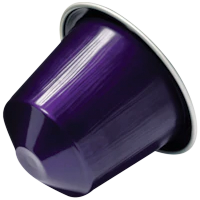
Arpeggio

Cioccolato
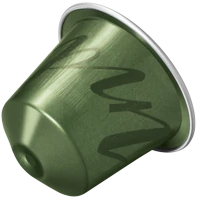
India

Miami

Napoli

Paris

Peru Organic

Pumpkin
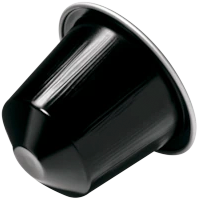
Ristretto